How Often Should You Upgrade Your iPhone?
October 31, 2026
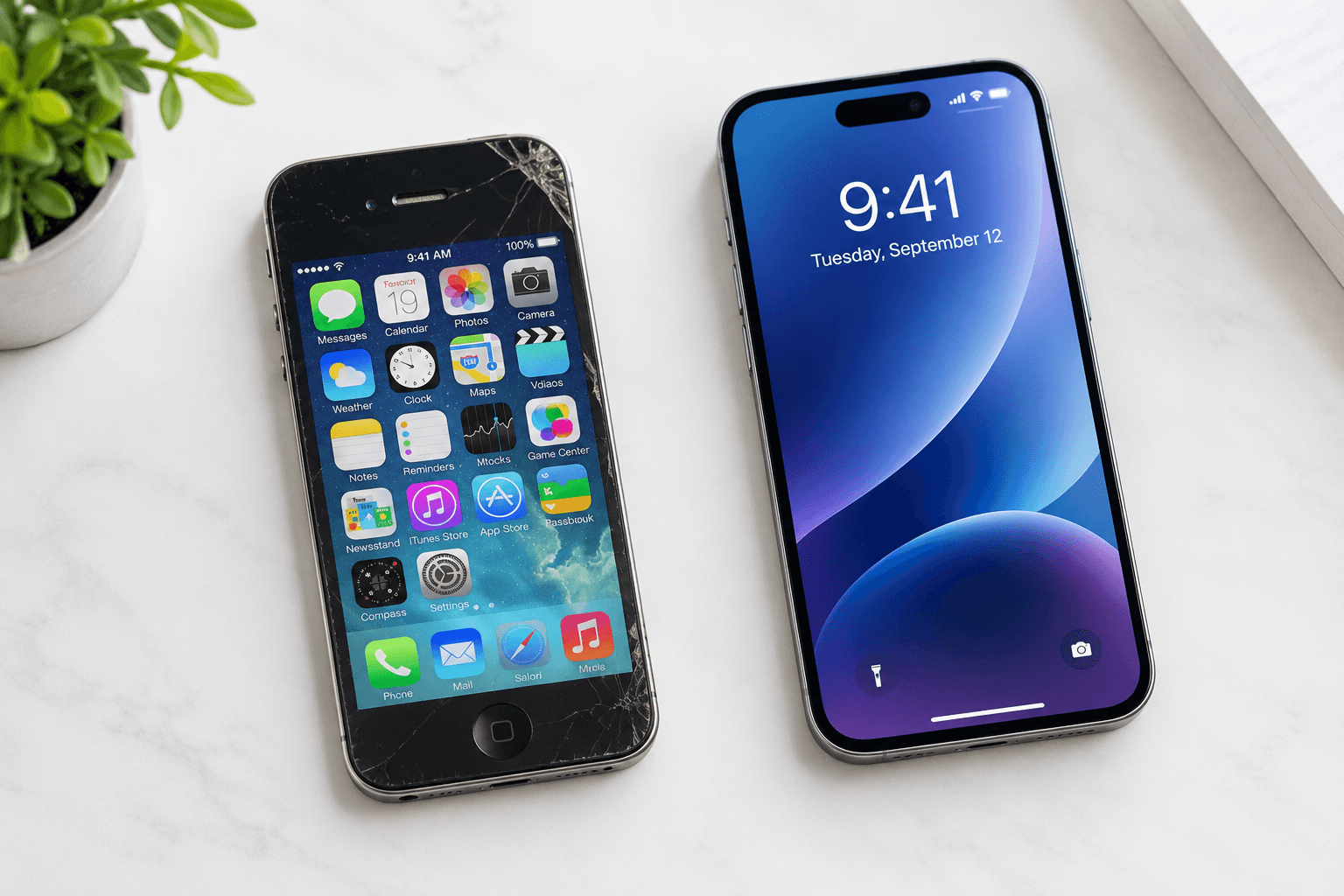
A new iPhone comes out every year. That does not mean you need to buy one every year. The right upgrade cycle depends on your phone's performance, battery health, software support, and how much resale value you can still get out of your current model.
This guide helps you figure out the right time to upgrade , and when it actually makes financial sense to sell your old iPhone before you do.
How Long Do iPhones Actually Last?
Most iPhones last between 4 and 6 years before they become genuinely hard to use. Apple supports iPhones with iOS updates for at least 5 to 6 years after release, which means your phone stays secure and functional long after the launch hype fades.
The hardware itself is built to last. What shortens the useful life of an iPhone is usually the battery, not the processor. A phone running on a degraded battery feels slow and frustrating even if the chip inside is still capable.
Apple's own data shows iPhones are designed to retain 80% battery capacity after 500 full charge cycles. For most users, that is about two years of daily charging. After that, performance starts to feel noticeably worse.
What Is the Average iPhone Upgrade Cycle?
The average iPhone owner upgrades every 2 to 4 years. Annual upgraders make up a small group, typically people who prioritize having the latest camera or who can offset the cost through strong resale value. Most people wait until their phone slows down or stops receiving software updates.
According to data from CIRP (Consumer Intelligence Research Partners), iPhone upgrade cycles have been lengthening over time. As of 2025, the average hold period was approaching 4 years , up from around 2.5 years a decade ago.
That shift reflects two things: iPhones last longer, and year-over-year improvements have become smaller. Jumping from an iPhone 13 to a 14 was a modest upgrade. Going from a 13 to a 16 is a much bigger step.
Should You Upgrade Your iPhone Every Year?
No, for most people. Annual upgrades deliver minor improvements that rarely justify the full cost. Unless you depend on the latest camera technology, shoot professional video, or can consistently sell your previous model for strong resale value, skipping one or two generations makes more financial sense.
The exception is the iPhone Pro and Pro Max line. Apple tends to concentrate its most significant improvements , camera hardware, ProMotion display, new chip features , into the Pro tier. If you upgrade every two years and always sell the previous model before value drops, the net cost per year can be surprisingly manageable.
For standard iPhone users, the practical advice is simple: wait until your phone gives you a real reason to upgrade, not just a launch event.
Signs It Is Time to Upgrade Your iPhone
Not sure if your phone has reached the end of its useful life? These are the clearest signals:
Battery health below 80% Go to Settings > Battery > Battery Health. Below 80% means Apple's own threshold for reduced performance mode. The phone will throttle its processor to protect the battery, which makes everything feel sluggish. A battery replacement at Apple costs around $99 and can buy you another year or two. If the rest of the phone is already struggling, replacing the battery may not be worth it.
Your iPhone no longer supports the latest iOS Apple drops software support for older models with each new iOS release. When your iPhone stops receiving updates, it stops getting security patches. That is a real risk, especially for anything involving banking, payments, or sensitive accounts.
Apps crash frequently or run slowly New versions of popular apps are built for current hardware. If Instagram, Maps, or your banking app regularly crashes or takes several seconds to load, the phone's RAM and processor are no longer keeping up with software demands.
The camera no longer meets your needs Camera improvements are the most visible leap between generations. If you shoot a lot of photos or video and find yourself disappointed by the results, that is a legitimate reason to consider upgrading.
Physical damage that affects function A cracked screen, broken Face ID, or a charging port that only works at certain angles , these reduce the usability of the phone and its resale value. The longer you wait, the less you will get for it.
When Is the Best Time to Sell Your iPhone?
The best time to sell your iPhone is in August or early September, just before Apple announces the new model. Demand for used iPhones peaks during this window, and resale prices are still strong. Once the new iPhone launches and becomes widely available, used prices for the previous generation drop sharply , often by 20 to 30% within a few weeks.
This timing window matters more than most people realize. Waiting until after the launch to sell means you are competing with thousands of other sellers, and buyers already know the new model is out. Going early puts you in front of buyers who want a deal before the upgrade cycle hits.
If you missed the pre-launch window, the next best time to sell is within the first 30 days after launch , prices drop gradually before leveling out. The worst time is six months later, when value has fully settled at the new lower baseline.
Does Upgrading Every 2 Years Make More Sense Than Every Year?
Yes, for most people. A two-year cycle gives you a meaningful performance jump, keeps your phone on the latest iOS, and lets you sell your previous model while it still holds strong resale value. It also cuts the effective annual cost of owning a new iPhone nearly in half compared to upgrading every year.
Here is a rough way to think about it. An iPhone 16 Pro bought at launch for $999 might resell for $650 to $700 in good condition after two years. Your net cost after the sale is roughly $300 to $350, plus whatever you paid in the meantime. That is a very different picture from paying full price every year.
The two-year cycle also lines up well with iOS support timelines. Apple typically supports iPhones for 5 to 6 years, so you are always well within the supported window and never missing critical updates.
What to Do Before You Upgrade
Before you sell or trade in your current iPhone, take care of these steps:
Back up to iCloud or your computer , make sure your photos, contacts, messages, and app data are saved.
Sign out of iCloud , go to Settings, tap your name, scroll down, and tap Sign Out. This removes Activation Lock, which is required before any buyer can set up the device.
Factory reset the phone , go to Settings > General > Transfer or Reset iPhone > Erase All Content and Settings.
Remove your SIM card if you plan to keep your number or move to a new phone.
Assess the condition honestly , check for screen cracks, battery health, and any functional issues before getting a quote. Knowing what you have gets you closer to an accurate offer.
Doing these steps before you sell protects your data and makes the transaction faster at any buyback store.
Does a Battery Replacement Beat Upgrading?
Sometimes, yes. If your iPhone is less than 3 years old, still receives iOS updates, and battery health is the only real issue, a battery replacement at Apple for around $99 can restore performance and extend the phone's useful life by 1 to 2 years. If the phone is already outdated in other ways, replacement makes more sense than repair.
This is a straightforward calculation. Compare the cost of a battery service against the resale value of the phone and the cost of the next model. If the phone would only sell for $150 to $200 anyway, spending $99 to fix it and use it for another year might not be the best use of money. Selling it as-is and putting that cash toward the upgrade is often the smarter move.
Sell Your Old iPhone at BuyBackX in Huntington Station
When you are ready to upgrade, BuyBackX makes selling your old iPhone simple. We are a locally owned electronics buyback store at 275 Walt Whitman Rd, Store 2, Huntington Station, NY 11746.
Bring in your iPhone, get a cash offer on the spot, and walk out paid the same day. No shipping, no online listings, no waiting. Stop in or call us before your next upgrade to find out what your current iPhone is worth.
Frequently Asked Questions
How often should you upgrade your iPhone?
Most people upgrade every 2 to 4 years. Annual upgrades are rarely worth the full cost unless you use the camera heavily or can recoup most of the cost by selling your old model before its value drops.
How long does an iPhone last before it needs to be replaced?
iPhones typically last 4 to 6 years before performance becomes frustrating. Apple provides iOS software updates for 5 to 6 years after a model's release, so the phone remains secure well into that window.
When should I sell my iPhone before upgrading?
The best time to sell is August or early September, just before Apple's annual product event. Resale prices are at their highest before the new model launches and drop significantly once it is available.
What battery health percentage means I should upgrade?
Apple flags reduced performance below 80% battery health. At that point, consider whether a battery replacement or a full upgrade makes more sense based on the phone's age and overall condition.
Does upgrading every year make financial sense?
For most people, no. The improvements between consecutive iPhone generations are usually minor, and the cost is high. A two-year upgrade cycle typically offers the best balance of new features, software support, and resale value recovery.
What should I do with my old iPhone before I sell it?
Back up your data, sign out of iCloud to remove Activation Lock, factory reset the phone, and remove your SIM. These steps protect your data and ensure the buyer can set up the device without issues.
How much is my old iPhone worth when I upgrade?
Value depends on the model, condition, and how recently the newer generation launched. Generally, iPhones in good condition with no screen damage sell for 40 to 65% of their original retail price within the first two years. After that, value drops more steeply each year.
Is it worth repairing an iPhone instead of upgrading?
It depends on the phone's age and overall condition. A battery replacement for a 2 to 3 year old iPhone in otherwise good shape is usually worth it. For phones that are 5-plus years old or no longer receiving iOS updates, upgrading is the better investment.